
When you decide to bring HDMI or SDI signals from an operating room, classroom, conference room, or studio into an NDI (Network Device Interface) workflow, the first question is often not whether to use NDI, but which NDI encoder to choose. Models vary considerably in their input interfaces, maximum resolutions, power options, and control features. A poor match can compromise image quality or leave the system struggling with latency and network bandwidth.
This article compares the specifications of Magewell Pro Convert NDI encoders and offers practical recommendations by application. It helps system integrators and AV engineers identify a model that fits their requirements.
What Is an NDI Encoder and Why Convert Video to NDI
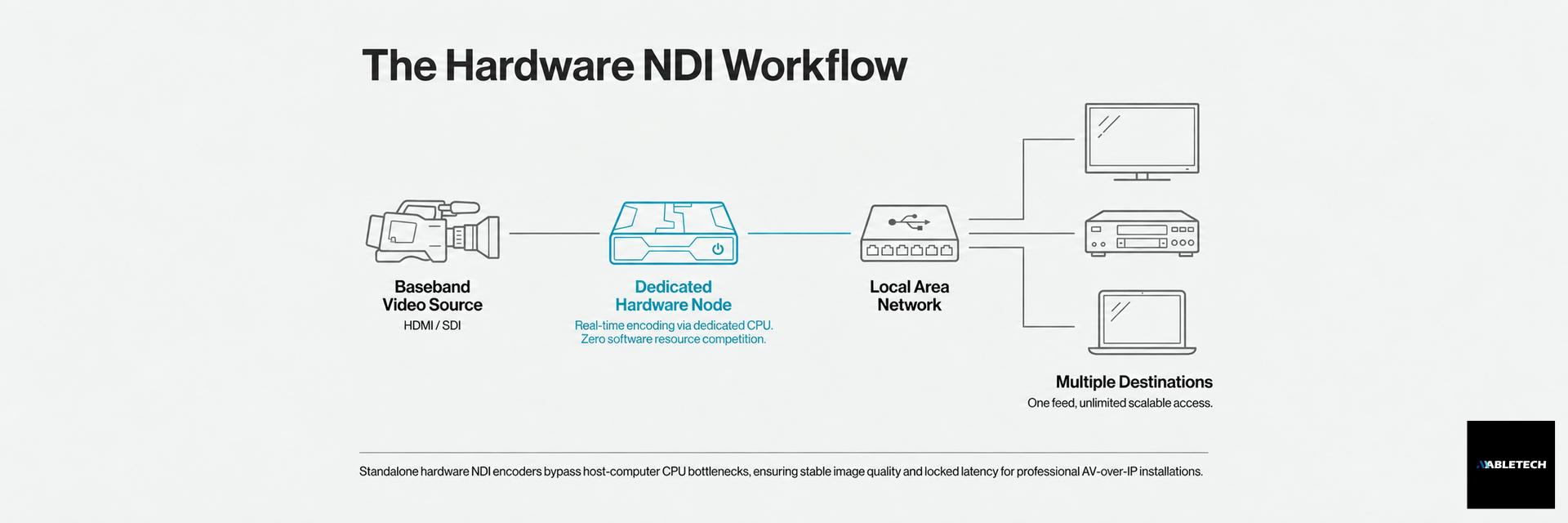
An NDI encoder converts conventional baseband video from cameras and other sources, such as HDMI or SDI, into an NDI IP stream in real time. The video can then travel across an existing local area network (LAN), be shared, and be received by multiple devices without a dedicated point-to-point video cable for every destination. Instead of running additional HDMI or SDI cables, the source becomes a node on the network. Several devices can receive the same feed, and network switches make it easier to add more sources. This flexibility suits studios, teaching spaces, and medical imaging integration.
Compared with software encoding on a computer, such as NDI Connect Pro, a hardware NDI encoder has dedicated, stable processing resources. Other computer programs therefore cannot consume its CPU resources and affect encoding quality or latency. This is one reason professional installations often use standalone hardware encoders such as Pro Convert.
Complete Pro Convert NDI Encoder Specification Comparison
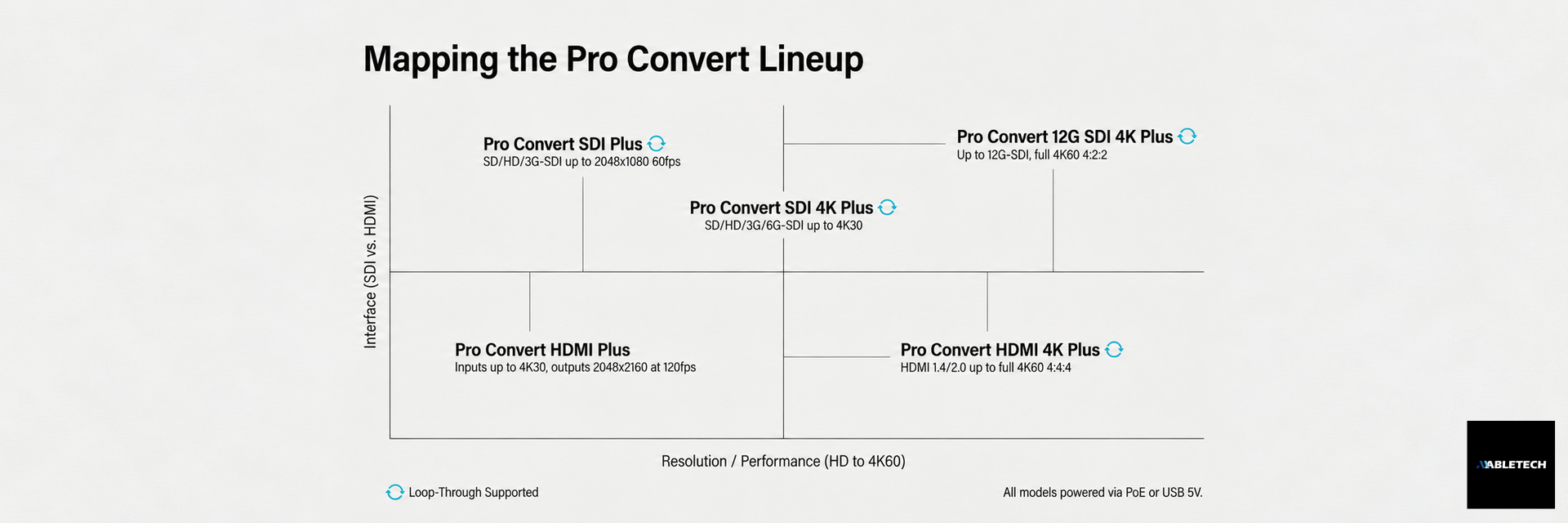
The Magewell Pro Convert family includes HDMI and SDI product lines, with several models in each line for different resolutions and requirements:
Model | Input interface | Maximum input resolution | NDI output | Loop-through | Power |
Pro Convert HDMI Plus | HDMI 1.4 / DVI-D | 4096 × 2160 at 30 fps (4:4:4/4:2:2), or 60 fps (4:2:0) | Up to 2048 × 2160 at 120 fps, 4:2:2 8-bit | No | PoE / USB 5V |
Pro Convert HDMI 4K Plus | HDMI 1.4 / 2.0 / DVI-D | 4096 × 2160 at 60 fps, 4:4:4 8-bit | Up to 4096 × 2160 at 60 fps, 4:2:2 8-bit | Yes (same-format output) | PoE / USB 5V |
Pro Convert SDI Plus | SD/HD/3G-SDI | 2048 × 1080 at 60 fps | Up to 2048 × 1080 at 60 fps, 4:2:2 8-bit | Yes | PoE / USB 5V |
Pro Convert SDI 4K Plus | SD/HD/3G/6G-SDI | 4096 × 2160 at 30 fps | Up to 4096 × 2160 at 60 fps, 4:2:2 8-bit | Yes | PoE / USB 5V |
Pro Convert 12G SDI 4K Plus | SD/HD/3G/6G/12G-SDI | 4096 × 2160 at 60 fps | Up to 4096 × 2160 at 60 fps, 4:2:2 8-bit | Yes | PoE / USB 5V |
The table highlights several selection points:
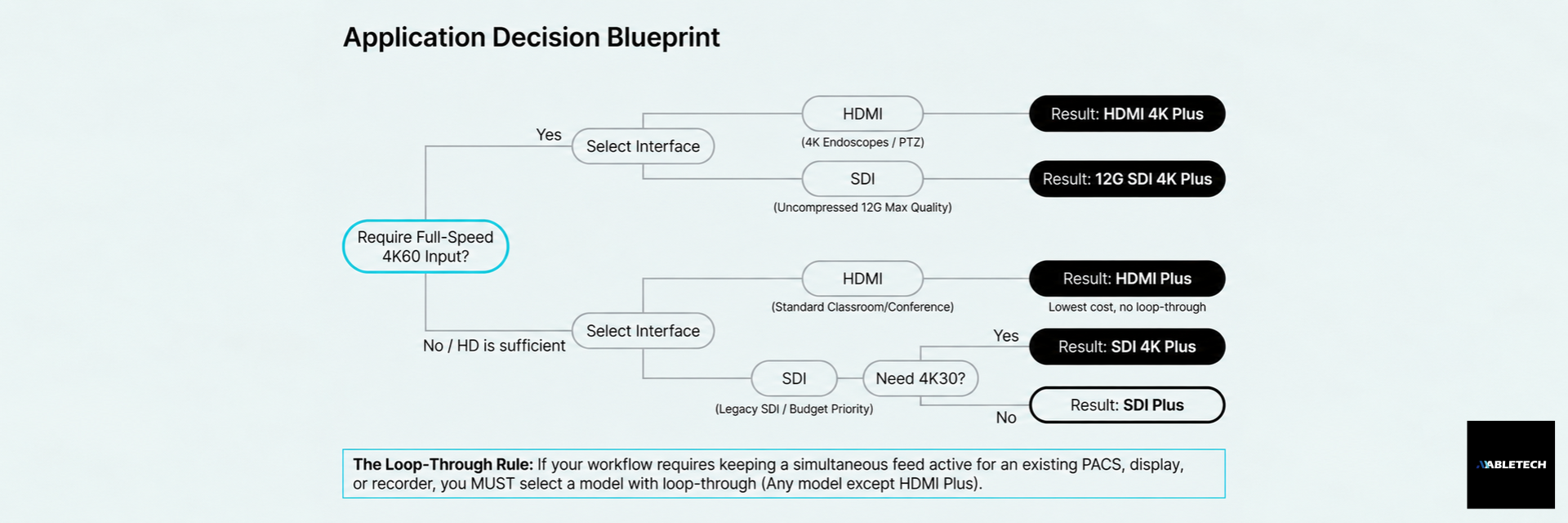
For full-speed 4K60 input, choose Pro Convert HDMI 4K Plus for HDMI or Pro Convert 12G SDI 4K Plus for SDI. Pro Convert SDI 4K Plus accepts 4K input only up to 30 fps.
For a standard HD source, Pro Convert HDMI Plus or SDI Plus is usually sufficient and offers better value.
If the original signal must continue to another system, such as PACS or a recorder, prioritize a model with loop-through. HDMI 4K Plus, SDI Plus, SDI 4K Plus, and 12G SDI 4K Plus support this feature, passing the signal to existing equipment without an additional splitter.
Shared Advantages PoE Low Latency and PTZ Control
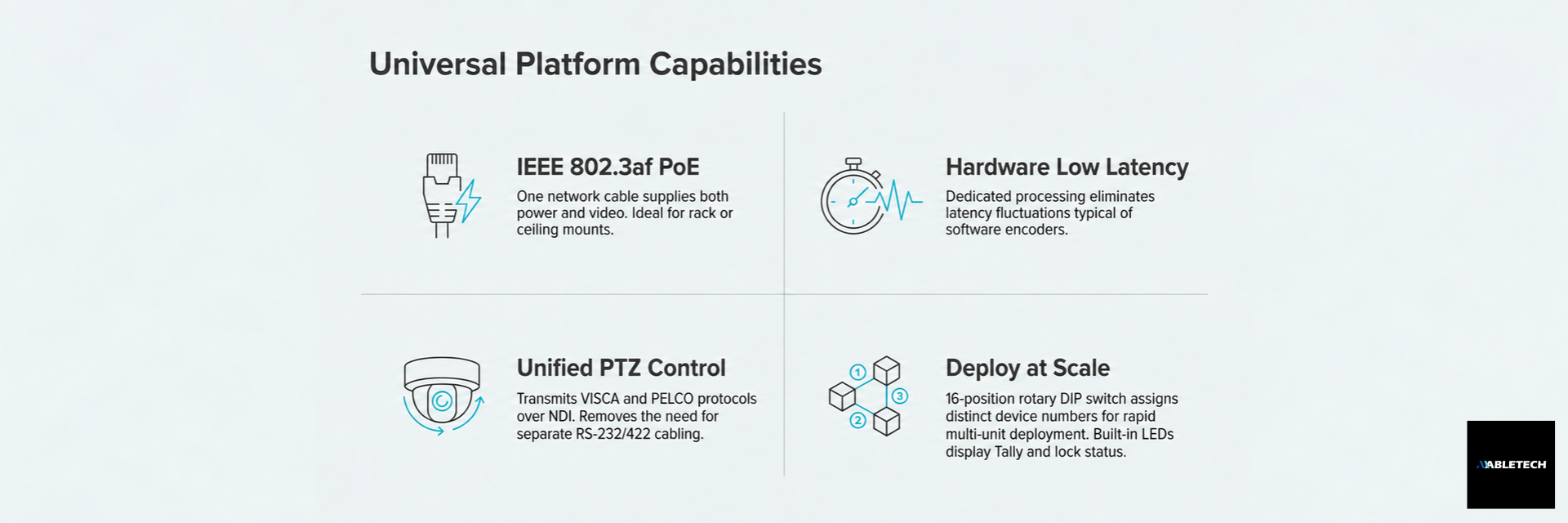
Whichever model you choose, the Pro Convert NDI encoder family shares several features that matter for system integration:
IEEE 802.3af Power over Ethernet: One network cable supplies power and carries video. No separate power cable is needed, which is useful for installations above a ceiling or at the top of an equipment rack.
Hardware encoding and low latency: Dedicated hardware encodes video in real time and avoids the latency fluctuations that can result when software encoders compete for host computer resources. This suits interactive teaching, live streaming, and remote control.
PTZ camera control: VISCA, VISCA over UDP, PELCO-P, and PELCO-D control protocols can be transmitted over NDI. The same network connection can carry video and camera commands, removing the need for a separate RS-232 or RS-422 control cable.
Tally and signal status indicators: Built-in LEDs show power, Tally (preview/program), and signal lock status to help staff troubleshoot on site.
Expansion with multiple devices: A 16-position rotary DIP switch on each unit sets its device number, making it easier to deploy multiple Pro Convert encoders on the same network.
Quick Selection Guide by Application
Application | Recommended model | Why |
One HD camera in a standard classroom or conference room | Pro Convert HDMI Plus | HD resolution is sufficient; lower cost |
Keep a simultaneous feed to PACS or a recorder | Any model with loop-through | Passes the signal through without disrupting the existing system |
4K endoscope or camera with HDMI output | Pro Convert HDMI 4K Plus | The HDMI model for full-speed 4K60 input |
4K camera with SDI output and maximum image quality | Pro Convert 12G SDI 4K Plus | Supports 12G-SDI and uncompressed full-speed 4K60 input |
Existing SDI camera with budget as a priority | Pro Convert SDI Plus / SDI 4K Plus | Choose by the required resolution; SDI 4K Plus accepts up to 4K30 |
Frequently Asked Questions
Q1: How is an NDI encoder different from a video capture card? A capture card sends a signal into a computer for capture or processing. A Pro Convert NDI encoder is a standalone device that converts the signal directly into an NDI IP stream on the network. It does not need a separate computer, simplifying installation and maintenance.
Q2: Can one network cable carry both power and video? Yes. Pro Convert supports IEEE 802.3af Power over Ethernet. With a PoE-capable network switch, one cable can provide power and carry the NDI stream.
Q3: What is loop-through, and do I need a model that supports it? Loop-through outputs the incoming signal in the same format while the encoder also converts it to NDI. The original signal can continue to an existing display, PACS system, or recorder. Choose a loop-through model when another device still needs the original feed. If the NDI encoder is the only destination, loop-through may be unnecessary.
Q4: Can I deploy several Pro Convert devices at once? Yes. Each unit can be assigned its own number with a rotary DIP switch. Multiple units can share the same network architecture as the number of video sources grows.
Conclusion
The key to choosing an NDI encoder is finding the model that matches your input interface, resolution requirements, and cabling conditions. Use the specification comparison and quick selection table above to narrow down the Pro Convert models that fit your site. If your project has more complex requirements, such as a mixed deployment of multiple video sources or API integration with existing systems, contact us to discuss a suitable configuration.